Observability
I have not seen this feature highlighted in other agentic systems, but my own experience building my system was that it is paramount to be able to see what the LLM conversation was, and even more, to be able to make amendments to the conversations.
Reviewing the detailed LLM log
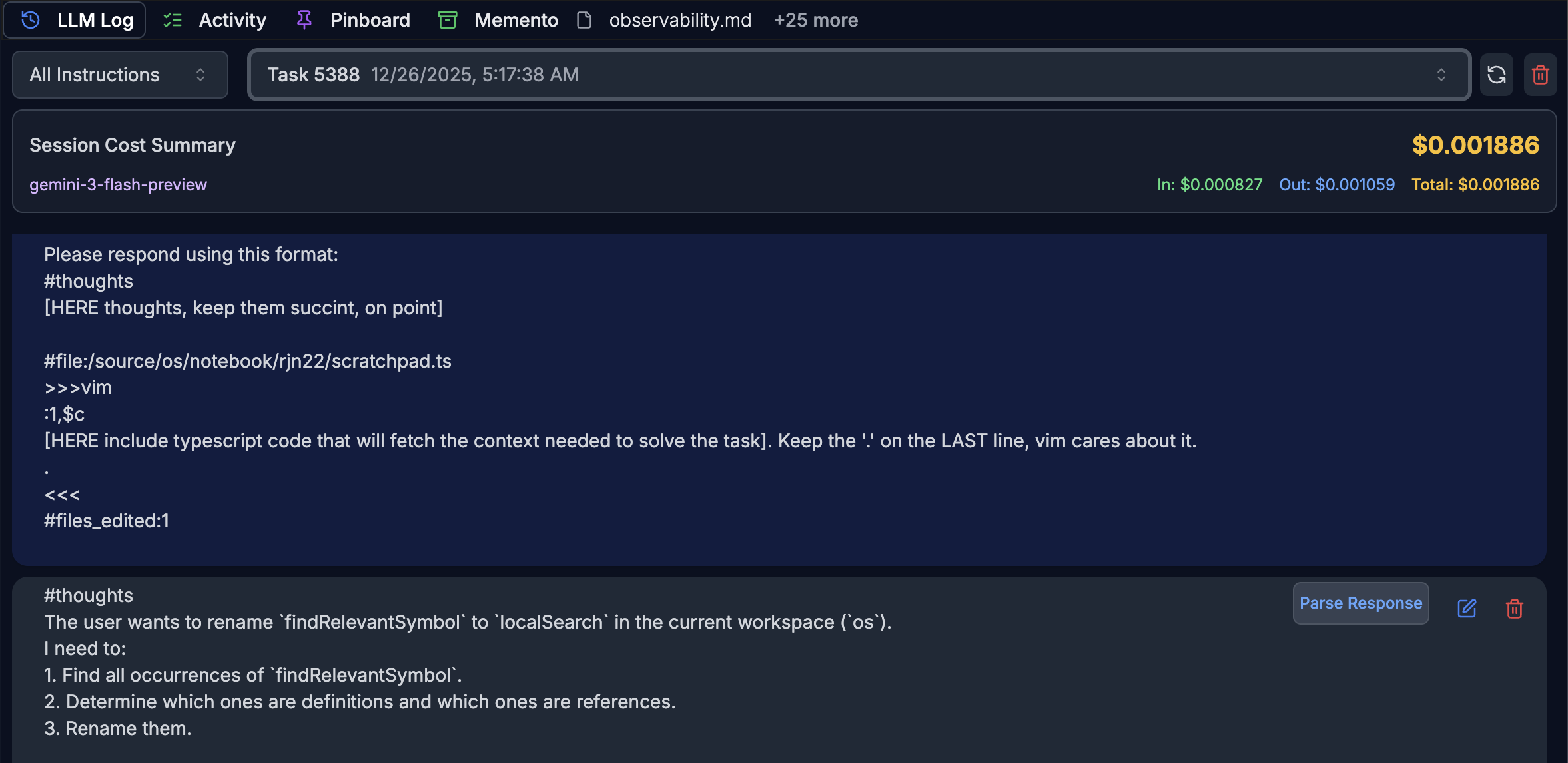
This is incredibly valuable, as many problems can be traced to prompt and context engineering. The log shows what was actually sent to the LLM and I can review if I missed anything salient to the task I asked to be solved. The logs live locally in a WASM SQLite database in the browser.
Editing the LLM log
While developing it is valuable to be able to edit the LLM response. I used this a lot while experimenting with response formats, and then after editing I could do Parse again to make use of the response.
Deleting from the LLM log
Also useful while developing, it is useful to be able to drop incorrect or irrelevant information from the converation and re-try.
Follow-ups
Sometimes the LLM gets it 90% right, and adding a small follow-up clarification does wonders. My workflows are set up such that a new LLM response can be incorporated as an update to the existing workflow the LLM was called from.
As a principle I only use one-shot conversations. Effectively the Memento is a curated list of all the relevant context information, and a classifier selects the bits of information from Memento that are relevant for an llm task and they are then supplied in the llm prompt. The LLM Log is useful for troubleshooting and sometimes for minor saving interventions in a llm conversation.